

If your Japan eSIM is not working, toggle Airplane Mode on for 30 seconds then off, confirm Data Roaming is ON for the Japan line, and set the Japan eSIM as your active Cellular Data line — this resolves the majority of no-signal cases on arrival at Narita, Haneda, or Kansai airports. If it still fails after the checks below, JW eSIM offers a free Pocket WiFi backup on arrival—a rare physical fallback among Japan travel eSIMs.
First 5 Fixes to Try (in Order)
Work through these before contacting support. Each one targets a specific failure mode listed by carriers on the KDDI and IIJmio networks.
- Turn Data Roaming ON for the Japan line. iPhone: Settings → Cellular → [Japan eSIM label] → Data Roaming. Android / Pixel: Settings → Network & Internet → SIMs → [Japan eSIM] → Roaming.
- Set the Japan eSIM as your Cellular Data line. If your home SIM is still selected for data, the eSIM will show signal bars but no internet.
- Toggle Airplane Mode for 30 seconds. This forces a fresh network handshake with KDDI (5G Unlimited) or IIJmio’s docomo-backed network (4G Unlimited).
- Turn OFF your home SIM’s data and calls to avoid bill shock from your home carrier roaming in Japan.
- Restart the phone once. A cold reboot clears cached network profiles that block the new eSIM.
| If your data isn’t working, never tap “Delete” or “Remove Cellular Plan” on your eSIM. Travel eSIM QR codes are single-use tokens; once deleted, the profile cannot be re-scanned or reinstalled from the original code. Deleting the profile permanently destroys the digital SIM. Always troubleshoot settings with the profile still installed. |
Fixes for Specific Error Messages
| Symptom | Likely Cause | Fix |
|---|---|---|
| “No Service” on arrival | Data Roaming is toggled off | Turn Data Roaming ON for the Japan line |
| Signal bars, no internet | Wrong data line selected | Set Japan eSIM as the primary Cellular Data line |
| “SIM not supported” | Carrier-locked phone | Unlock via home carrier (iPhone XR+, Pixel 4+, recent Galaxy required) |
| eSIM disappeared after install | Deleted or wiped | QR is one-time use; contact support immediately |
| Slow speed after heavy use | Fair Usage Policy | Temporary speed management on extreme usage; resets on the next plan cycle |
| Hotspot won’t connect | Home SIM tethering rules | Use Personal Hotspot with the Japan eSIM as active data line |
Check APN Settings (Android Only)
Most iPhones auto-provision APN settings upon connecting. On Android, if data still fails after completing the five steps above, verify your Access Point Name (APN). A typo in the APN field is the second-most common cause of a “connected but no internet” state on Pixel and Galaxy devices.
Android APN Menu Path: Settings → Network & Internet → SIMs → [Japan eSIM] → Access Point Names (APN) → Tap ‘+’ to add/edit.
JW eSIM provides the exact APN string in your activation email — input the values precisely as written without guessing.
When the eSIM Genuinely Cannot Connect: JW’s Pocket WiFi Backup
If the eSIM can’t connect after guided troubleshooting with support, Japan Wireless provides a Pocket WiFi at no extra cost — this is unique among Japan eSIM sellers. Holafly, Airalo, and Ubigi do not ship a physical device as fallback. Support is available 7 days a week by chat, email, and phone in 7 languages.
Compare: What Happens When an eSIM Fails
| Provider | 7-Day Unlimited Price | If eSIM Fails |
|---|---|---|
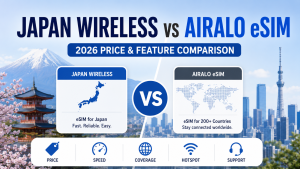
| JW eSIM (5G Unlimited, KDDI) | $35.35 | Free Pocket WiFi backup shipped |
| Holafly (KDDI/SoftBank) | $27.50 | Refund available up to 6 months, including incompatible-device refunds |
| Airalo (marketplace) | from ¥600 / 1GB entry | Support ticket only, no physical backup |
| Ubigi (docomo) | ¥2,400 / 10GB | Support ticket only, no physical backup |
JW eSIM is listed as non-refundable, so the Pocket WiFi guarantee is its connectivity insurance. Holafly’s differentiator is the opposite: it refunds cash but ships no hardware.
Device Compatibility Reality Check
- No eKYC or Passport Registration Required: Because tourist eSIMs in Japan are data-only, Japanese regulation does not require passport submission, ID verification, or eKYC (unlike voice-enabled local SIMs). Activation is instant once network connection occurs.
- iPhone Compatibility: iPhone XR/XS and newer support eSIM — except mainland-China iPhone models, which feature dual physical SIM slots and lack eSIM hardware entirely.
- Android Compatibility: Google Pixel 4 and newer, along with most recent Samsung Galaxy flagships.
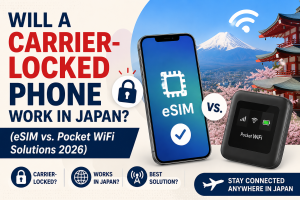
- Carrier Unlocking: The device must be SIM-unlocked by your home network operator. A carrier-locked phone will fail regardless of which Japan eSIM provider you use.
Frequently Asked Questions
Why does my Japan eSIM show “No Service” after landing?
Data Roaming is switched off on the Japan eSIM line in 9 out of 10 “No Service” cases. On iPhone go to Settings → Cellular → tap the Japan eSIM label → turn Data Roaming ON. On Pixel or Galaxy, go to Settings → Network & Internet → SIMs → tap the Japan eSIM → enable Roaming. Also confirm the Japan eSIM is selected as your Cellular Data line, not your home SIM.
Can I reinstall the QR code if I deleted my eSIM?
No — the JW eSIM QR code is single-use and cannot be reinstalled once scanned or deleted. If you removed the eSIM profile from your phone, contact Japan Wireless support 7 days a week by chat, email, or phone. They will confirm your order and, if the plan has not been used, work through a replacement path. Do not delete the eSIM profile during your trip.
My phone connects to KDDI but has no internet — what now?
Set the Japan eSIM as your Cellular Data line, not just as an active line. Signal bars only mean the phone registered with KDDI’s tower; data routing is a separate setting. iPhone: Settings → Cellular → Cellular Data → select the Japan eSIM. Android: Settings → Network & Internet → SIMs → Mobile data → choose the Japan eSIM. Turn your home SIM’s data OFF to prevent conflicts.
Does JW eSIM refund a failed eSIM?
JW eSIM plans are listed as non-refundable, but Japan Wireless ships a free Pocket WiFi if the eSIM cannot connect after guided troubleshooting. This physical backup is unique among Japan eSIM sellers. If you want cash refunds instead, Holafly refunds up to 6 months and covers incompatible-device cases, as long as QR code has not been scanned.
Will my eSIM work on a China-market iPhone?
No — mainland-China iPhone models lack the eSIM hardware and cannot run any Japan eSIM. This includes iPhones bought at Apple retail in mainland China. If you have this device, use a Pocket WiFi rental instead. JW eSIM’s compatibility list covers iPhone XR/XS and newer (non-China), Google Pixel 4 and newer, and recent Samsung Galaxy flagships that are SIM-unlocked.
Can I host a hotspot from my Japan eSIM?
Hotspot functionality is supported on JW’s 5G Unlimited plan with a high-speed allowance that scales with plan duration; after the allowance, hotspot continues at reduced speeds. Confirm that the Japan eSIM is selected as your active Cellular Data line before enabling Personal Hotspot. Note that other providers like Holafly cap hotspot usage at 1GB per day regardless of plan duration.
How long does eSIM activation take after landing at Narita or Haneda?
Activation takes 2–5 minutes after enabling Data Roaming once your device attaches to the local cell tower. Install the eSIM profile prior to departure using your home Wi-Fi — installing requires an active internet connection, though network activation will remain pending until your phone lands in Japan and connects to KDDI or docomo.