

If you are planning a trip to Japan, you will need mobile data from the moment you clear customs. Google Maps for train connections, translation apps for restaurant menus, booking apps for last-minute reservations: all of it depends on a working connection. An eSIM is the fastest way to get that connection sorted before you leave home.
The catch: most Japan eSIM plans marketed as “unlimited” are not actually unlimited in the way you might expect. Many include a daily high-speed data allowance, after which speeds drop significantly. Some restrict hotspot use. Some connect to networks with limited rural coverage. This guide cuts through the marketing language and explains what you actually get with a Japan eSIM unlimited data plan in 2026.
Exchange rates used throughout: ¥150 = $1 USD / ¥167 = €1 EUR (June 2026)
1. Best Japan eSIM Unlimited Data Plan: Quick Answer
Do not just look for the cheapest plan with “unlimited” in the title. The right eSIM depends on how you actually use your phone.
| Traveller type | What to look for |
|---|---|
| Maps, messaging, translation only | Moderate daily data plan |
| SNS, short videos, heavy browsing | High daily data allowance |
| Laptop work or sharing with a companion | Confirmed hotspot support |
| Rural Japan, ski resorts, day trips off the tourist trail | Plan using Docomo network |
| Last-minute traveller | eSIM with instant QR code delivery |
Our recommendation
The best eSIM for your Japan trip depends on three things: how much data you use daily, whether you need hotspot, and where you are going. If your answer to all three is “moderate use, yes to hotspot, mainly cities”, most Japan eSIM plans will serve you fine. If you are doing anything heavier: remote work, rural travel, streaming: read the FUP terms before buying.
Japan Wireless 5G eSIM at a Glance
| Feature | Details |
|---|---|
| Coverage | Japan |
| Network | 5G / 4G LTE |
| Data | Daily high-speed allowance, resets at midnight JST |
| Plan lengths | 3, 6, 14, 30 days |
| Hotspot | Supported |
| Setup | QR code by email |
| Best for | First-time visitors, solo travellers, maps and social media users |
Japan Wireless offers a 5G eSIM with a daily high-speed data allowance. Speeds drop after the daily limit but reset at midnight Japan time. This is not fully unlimited high-speed data: no throttling-free plan at this price point is: but the daily reset makes it more usable over a multi-week trip than a fixed total-data plan that runs out entirely.
eSIM vs Pocket WiFi vs Physical SIM: which one?
eSIM: Digital-only, instant setup, no extra device. Best for solo travellers with a compatible phone.
Pocket WiFi: A physical portable router. Best for families, groups, or anyone needing to connect a laptop and tablet simultaneously.
Physical SIM: Best for phones without eSIM support.
Japan Wireless sells both eSIMs and Pocket WiFi. If you are travelling with four people and everyone needs internet, a single Pocket WiFi rental is usually cheaper and simpler than four individual eSIMs.
2. What “Unlimited Data” Actually Means for Japan eSIMs
This is the section most eSIM comparison articles skip. It matters.
True unlimited vs daily high-speed allowance
| Label | What it usually means |
|---|---|
| Unlimited data | Data continues at reduced speed after a daily cap |
| Unlimited high-speed data | No stated cap: rare and usually expensive |
| Daily high-speed allowance | Full speed up to X GB/day, then throttled |
| Total data plan | Fixed amount for the whole validity period |
Most Japan travel eSIMs fall into the third category: high speed up to a daily threshold, then slower speeds until the next day. Japan Wireless uses this model with a daily reset at midnight JST.
What is a Fair Usage Policy?
A Fair Usage Policy (FUP) is a rule that reduces your connection speed once you have used a certain amount of high-speed data in a single day. The purpose is to prevent network congestion. After the limit, you are not cut off: but your speed drops to 128kbps or 384kbps, which feels like it.
Before buying any Japan eSIM, check:
- How much high-speed data per day?
- What speed after the limit?
- When does the allowance reset?
- Is hotspot included or restricted?
- Which Japanese network does it connect to?
- Is English support available?
What happens after the daily limit?
| Activity | Usability after throttling |
|---|---|
| Text messaging (WhatsApp, LINE) | Usually works |
| Google Maps with cached maps | Basic navigation works; loading new areas is slow |
| Translation app (text mode) | Usually works |
| Instagram, TikTok | Images load slowly or not at all |
| YouTube | Not practical |
| Video calls | Not practical |
| Laptop via hotspot | Not practical |
Is 128kbps really that bad?
128kbps is the speed of early 2000s mobile internet. Sending a text message works. Loading a new section of Google Maps takes 30–60 seconds. Uploading a photo is not realistic. At 384kbps it is slightly better, but still firmly in the “light tasks only” territory.
The practical implication: if you are in an unfamiliar area and you have hit your daily FUP limit, you can still navigate using cached maps but you cannot load new areas or use translation on new images. Plan your heavy data use accordingly.
3. How Much Data Do You Need in Japan?
| Activity | Data use |
|---|---|
| Google Maps navigation | Low to medium |
| Messaging (WhatsApp, LINE) | Low |
| Translation apps | Low |
| Instagram (browsing and posting) | Medium |
| TikTok, YouTube | High |
| Video calls | High |
| Laptop via hotspot | Very high |
Light use: maps, messaging, translation
If your daily routine is: navigate to sights, translate menus, send messages home: you are a light data user. 1–2GB of high-speed data per day is enough. The reduced-speed connection after the limit is mostly irrelevant because you will rarely reach it.
Standard tourist use: maps, Instagram, restaurant search
Most Japan visitors fall here. A typical day looks like:
- Morning: Google Maps from hotel to first destination
- Afternoon: Restaurant search, menu translation, Instagram stories
- Evening: Photo uploads, next-day itinerary research
For this, an eSIM with a generous daily high-speed allowance covers the day without anxiety. Japan Wireless is well-suited to this profile.
Heavy use: streaming, video calls, remote work
Streaming Netflix on the Shinkansen, joining Zoom calls, or letting iCloud auto-backup your photos over cellular: all of these will hit a daily FUP limit faster than you expect. A 30-minute HD video call on Zoom uses approximately 900MB. Two calls and you may have hit a 2GB daily cap before lunch.
For remote work, the reliable option is combining an eSIM with your hotel’s WiFi for heavy tasks and using mobile data for everything else.
Hotspot use
Sharing your eSIM connection with a laptop or another phone doubles or triples your data consumption. A hotspot session for a few minutes of email is fine. A full afternoon of laptop work through hotspot will hit any reasonable daily FUP cap.
Japan Wireless eSIMs support hotspot use, but note the data consumption implications before relying on it for sustained laptop work.
By trip length
| Trip length | What matters most |
|---|---|
| 3 days | Easy setup, reliable daily data |
| 7 days | Balance of price, data, and hotspot |
| 14 days | Stable coverage and daily reset |
| 30 days | Total cost, FUP clarity, English support |
4. Japan eSIM Network Coverage: Docomo, SoftBank, au, 4G and 5G
Japan has four major mobile networks: Docomo, SoftBank, au (KDDI), and Rakuten Mobile. For tourist eSIMs, Docomo, SoftBank, and au are the relevant options. Rakuten Mobile is still expanding its coverage and is less commonly used by travel eSIM providers.
Tokyo, Osaka, Kyoto
In major cities, all three main networks perform well. 5G is available throughout central Tokyo, Osaka, and Kyoto, though speeds vary by location and congestion. Deep subway stations sometimes have reduced signal. Shibuya Crossing and similar dense areas can be congested at peak times regardless of which network you are on.
For city-based travel, network choice matters less than data allowance and price.
Rural Japan, ski resorts, and day trips
This is where the network matters. Docomo has the most extensive rural coverage in Japan: particularly in mountainous areas, smaller towns, and along regional train routes. If your itinerary includes Hakuba, Niseko, Shirakawa-go, rural Tohoku, or Hokkaido outside Sapporo, a plan using the Docomo network is the safer choice.
SoftBank and au are both strong in cities and popular tourist areas but can drop off more in remote locations.
Always check the coverage map for your specific destinations, particularly if you are renting a car and driving through rural prefectures.
Is 5G everywhere?
No. 5G is deployed heavily in major city centres and around major stations. Rural areas, smaller cities, and most train routes outside the Shinkansen corridors run on 4G LTE. For tourists, this is not a problem: 4G LTE in Japan is fast and reliable for every standard travel use case, including maps, translation, streaming, and video calls.
5G only makes a practical difference if you are uploading or downloading large files. For sightseeing, 4G is fine.
5. Is Your Phone Compatible?
Check these before buying:
- Does your phone support eSIM?
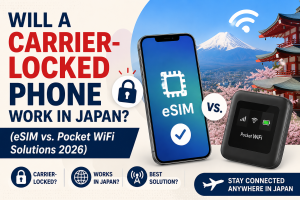
- Is your phone carrier-unlocked?
- Do you have stable WiFi for installation?
- Have you saved the QR code or installation instructions?
- Do you know when the plan activates?
iPhones
Most iPhones from the XS and XR (2018) onward support eSIM. Compatibility can depend on the region where the phone was purchased.
US iPhone 14, 15, 16, and 17 users: these models have no physical SIM tray in the US version. eSIM is your only option. Setting up a Japan eSIM before you fly is not optional: it is the only way to have data ready when you land.
To check if your iPhone is unlocked: Settings > General > About > scroll to Carrier Lock. If it says “No SIM restrictions”, the phone is unlocked. The exact wording may vary by iOS version.
Android
Google Pixel 4 and newer, and recent Samsung Galaxy S-series, generally support eSIM. Android compatibility varies by model and market: a phone sold in Europe may support eSIM while the same model sold in Southeast Asia may not.
To check eSIM support on Android: Settings > About Phone. Look for an EID number. If there is an EID, the phone supports eSIM.
If your phone does not support eSIM
Two options: Pocket WiFi rental (works on any WiFi-capable device, no unlocking required) or a physical SIM (requires an unlocked phone with a SIM tray). Japan Wireless provides both.
6. Japan Wireless 5G eSIM Plans
Pricing
Prices verified at time of writing. Always confirm current rates at checkout.
| Plan | Price (USD) | Price (JPY) | Price (EUR) | Best for |
|---|---|---|---|---|
| 3 days | ~$19 | ~¥2,850 | ~€17 | Short visits, layovers |
| 6 days | ~$30 | ~¥4,500 | ~€24 | Standard Golden Route tour |
| 14 days | ~$61 | ~¥9,150 | ~€55 | Extended multi-city travel |
| 30 days | ~$82 | ~¥12,300 | ~€74 | Long stays, digital nomads |
The 30-day plan works out to approximately $2.70/day (~¥405/€2.40), which compares well against carrier roaming at $10–$12/day (~¥1,500–¥1,800/€9–€11) for AT&T and Verizon respectively.
How the daily reset works
Japan Wireless uses a daily high-speed allowance that resets at midnight Japan Standard Time (JST). If you use your full allowance by early afternoon, speeds drop until midnight, at which point you have a full allowance again.
This is more practical than a total-data plan on a 14-day trip. With a total-data plan, if you stream too much on day 3, you might run out entirely by day 8. With a daily reset, heavy use on one day just means slower speeds that evening: the next morning starts fresh.
Hotspot
Japan Wireless eSIMs support hotspot use. Sharing your connection with a laptop or another phone will consume your daily high-speed allowance faster. For occasional laptop use during the day, this is fine. For sustained remote work over hotspot, expect to hit the daily limit.
When Japan Wireless eSIM works well
- First-time visitors to Japan who want straightforward English setup
- Solo travellers or couples doing standard tourist activities
- Anyone relying heavily on Google Maps, translation apps, and social media
- Travellers who want a plan that resets daily rather than running out entirely
When another option may be better
- Connecting three or more devices simultaneously (Pocket WiFi is more practical)
- Remote work with sustained video calls and large file transfers (Pocket WiFi or hotel WiFi)
- Need for a Japanese voice phone number (travel eSIMs are data-only)
- Absolute lowest price is the only priority (fixed-data plans from other providers start cheaper for light users)
7. Japan eSIM vs Pocket WiFi vs Physical SIM
| Option | Best for | Pros | Cons |
|---|---|---|---|
| eSIM | Solo travellers, compatible phones | No extra device, instant setup | Requires unlocked eSIM-compatible phone |
| Pocket WiFi | Groups, multiple devices, laptops | Sharable, powerful | Must carry, charge, and return |
| Physical SIM | Phones without eSIM support | Works on older unlocked phones | SIM swap required |
Choose eSIM if
You are travelling alone or with one other person, your phone is unlocked and eSIM-compatible, and you do not need to connect a laptop constantly. You scan a QR code at home, activate on arrival, and you are done.
Choose Pocket WiFi if
Multiple people need their own connection, you have a laptop that needs reliable internet, or you do not want to deal with phone settings. Japan Wireless Pocket WiFi includes a free power bank and supports up to 15 devices.
Choose physical SIM if
Your phone is unlocked but does not support eSIM. Less common in 2026 but still relevant for older devices.
8. How to Set Up Your Japan eSIM Before You Fly
Do not wait until you are at the airport. Airport WiFi in Japan is available but can be unreliable for eSIM installation. Set it up at home on a stable connection.
Step 1: Check phone compatibility and unlock status
Confirm eSIM support (see Section 5) and that your phone is unlocked. If the phone is locked, contact your carrier to unlock it before your trip.
Step 2: Buy the plan and choose your start date
Select the plan length that covers your trip with a day of buffer. Most Japan Wireless eSIMs activate when they first connect to a Japanese network: you can install the eSIM days before flying without starting the clock.
Step 3: Install the eSIM
You will receive a QR code by email.
iPhone: Settings > Mobile Data (or Cellular) > Add eSIM > Scan the QR code.
Android: Settings > Connections > SIM Manager > Add mobile plan > Scan the QR code.
Label the new eSIM something recognisable like “Japan” to avoid confusing it with your home SIM. Do not delete it after installation even if it shows “No Service”: it will activate when you arrive in Japan.
Step 4: One phone screen problem
You cannot scan a QR code displayed on the same phone. Solutions:
- Open the QR code on a laptop or tablet and scan it
- Print the QR code before you leave home
- Use the manual entry code (a text string) in your confirmation email if your phone supports it
Step 5: Activate on arrival
When you land in Japan:
- Turn off data on your home SIM to avoid roaming charges
- Switch mobile data to the Japan eSIM
- Enable Data Roaming for the Japan eSIM profile: most travel eSIMs need this setting on to connect to the local network
You should connect within a few minutes of clearing customs.
9. Common Problems and How to Fix Them
The eSIM does not activate
Likely cause: phone is still carrier-locked, the eSIM was installed on unstable WiFi, or you are not yet in Japan. Check your unlock status and try reinstalling on a stable connection if the profile is corrupted. Contact Japan Wireless support via airport WiFi if needed.
Data works but speeds are slow
You have probably used your daily high-speed allowance. Check the time: if it is before midnight JST, you are in reduced-speed mode until the clock rolls over. Connect to café WiFi for anything data-intensive.
Connected to 4G instead of 5G
You are outside a 5G coverage area, or your phone does not support the Japanese 5G frequency bands. This is normal and not a problem. 4G LTE in Japan is fast enough for every standard tourist use.
Hotspot does not work
Check that your plan supports hotspot. For iPhone, go to Settings > Personal Hotspot and ensure it is enabled for the Japan eSIM line specifically. On some iPhones, enabling “Maximize Compatibility” in Personal Hotspot settings helps with connection issues.
You hit the FUP limit too early
Background apps are often the culprit. Turn off:
- Automatic app updates over cellular
- iCloud photo backup over cellular
- Background app refresh for data-heavy apps
Download offline Google Maps for your destinations while connected to hotel WiFi. This significantly reduces data use for navigation.
You arrived without buying an eSIM
Connect to airport WiFi, purchase a Japan Wireless eSIM online, and install it. The process takes under five minutes. You will be connected before you reach the train platform.
10. Frequently Asked Questions
Can I get truly unlimited data with a Japan eSIM?
Truly unlimited high-speed data with no restrictions is rare and expensive. Most plans marketed as unlimited have a daily high-speed allowance with speeds reduced after the limit. Japan Wireless uses a daily reset model: the allowance refreshes at midnight JST.
Is the daily high-speed allowance enough for most trips?
For standard tourist use: maps, messaging, translation, social media: yes. For video streaming, video calls, or sustained laptop work over hotspot, you may hit the limit. Check the specific GB/day figure on the Japan Wireless plan page before buying.
Can I use hotspot with a Japan eSIM?
Yes, Japan Wireless eSIMs support hotspot. Hotspot use accelerates daily data consumption. For short hotspot sessions it is fine; for all-day laptop work it is not the right tool.
Can I install the eSIM before arriving in Japan?
Yes, and you should. Install at home using stable WiFi. The plan will not start until you activate it on a Japanese network.
Do I need data roaming on?
Yes. Enable Data Roaming specifically for the Japan eSIM profile in your phone settings. This does not trigger charges from your home carrier: it simply allows the travel eSIM to connect to the local network.
Can I keep my US number while using a Japan eSIM?
Yes, if your phone supports dual SIM. Keep your home SIM for calls and SMS, and use the Japan eSIM as the mobile data line. Disable data roaming on your home SIM to avoid international charges from your home carrier.
Does the Japan eSIM come with a Japanese phone number?
No. Travel eSIMs are data-only. You can still make calls via WhatsApp, FaceTime, LINE, or similar apps. Restaurants and services that require a Japanese phone number for reservations cannot be accessed this way.
Which eSIM is best for rural Japan?
An eSIM that connects to the Docomo network. Docomo has the widest rural coverage in Japan, particularly in mountainous areas and smaller towns. Check which network your provider uses before buying if rural travel is part of your itinerary.
Is eSIM better than Pocket WiFi for Japan?
For a solo traveller with a compatible phone: eSIM. For a family or group, or anyone needing to connect multiple devices including a laptop: Pocket WiFi.
What if my eSIM stops working after landing?
Toggle airplane mode off and on. Check that the Japan eSIM is selected as the mobile data line and that Data Roaming is enabled for it. Restart the phone. If still not working, connect to airport WiFi and contact Japan Wireless support.
11. Final Recommendation: Match the Plan to Your Travel Style
Solo travellers
An eSIM is the most convenient option. No device to carry or return. Japan Wireless eSIM delivers reliable data for standard solo travel: maps, translation, social media, messaging: with a daily reset so you never run out entirely.
Heavy data users
Focus on the daily high-speed allowance and what happens after the limit. A daily reset plan is safer than a fixed total-data plan. If you genuinely need unlimited high-speed data all day every day, consider supplementing with hotel WiFi for heavy tasks.
Families and groups
Individual eSIMs for each person is possible but expensive and complex. A single Japan Wireless Pocket WiFi rental is usually cheaper and simpler: one device, one password, everyone connected.
Rural Japan and ski trips
Check which network the eSIM uses. For Hokkaido, the Alps, rural Shikoku, or anything off the main tourist circuits, a Docomo-based plan is the more reliable choice.
Last-minute travellers
eSIM is the only option that works on a last-minute timeline. Purchase online, receive the QR code by email, scan and install. You can be connected before leaving the airport.
Japan is one of the best-connected countries in the world once you have the right setup. The eSIM process is straightforward as long as you check compatibility, read the FUP terms, and install before you fly.
All prices verified June 2026. Exchange rates: ¥150 = $1 USD / ¥167 = €1 EUR.