

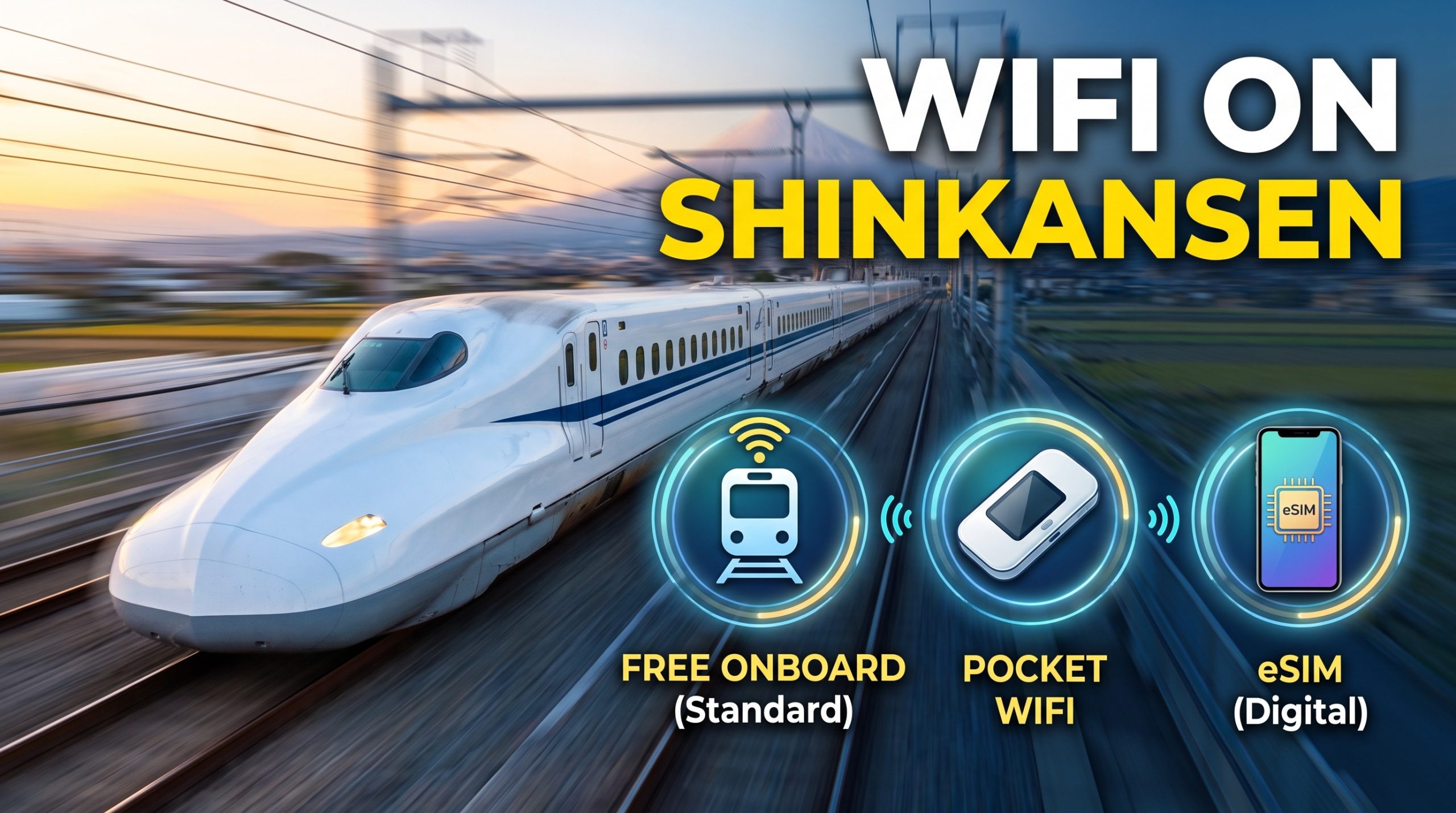
Free WiFi is available on every major Shinkansen line in Japan, but session rules and performance vary by route. The Tokaido, Sanyo, and Kyushu Shinkansen cap sessions at 30 minutes on Shinkansen_Free_Wi-Fi, requiring manual reconnection. JR East Shinkansen lines (Tohoku, Hokkaido, Akita, Yamagata, Joetsu, Hokuriku) allow 3-hour sessions on E5, E6, and E7 series trainsets via JR-EAST_FREE_Wi-Fi. Onboard networks are unencrypted and throttle heavy traffic (including OS updates, app store downloads, and streaming video) to roughly 128 kbps. To maintain uninterrupted internet through train tunnels and beyond railway stations, most international travelers supplement onboard signal with a rental pocket WiFi or an eSIM.
※ SSID (WiFi name) may subject to change.
What Shinkansen Lines Have Free WiFi in 2026
Onboard WiFi coverage is split across specific JR operating divisions, each enforcing different connection policies:
- Shinkansen Free Wi-Fi (JR Central, JR West, JR Kyushu): Covers the Tokaido (Tokyo–Shin-Osaka), Sanyo (Shin-Osaka–Hakata), and Kyushu (Hakata–Kagoshima-Chuo) lines. Requires reconnecting every 30 minutes with unlimited daily sessions. User credentials must be re-validated after 21 days.
- JR-EAST FREE Wi-Fi (JR East): Covers the Tohoku, Hokkaido, Akita, Yamagata, Joetsu, and Hokuriku Shinkansen lines on E5, E6, and E7 series trainsets. Features 3-hour session limits with unlimited reconnects and email registration.
- JR-WEST FREE Wi-Fi (JR West): Available on select Hokuriku Shinkansen trainsets and major JR West stations, offering 3-hour sessions.
- S Wi-Fi for Biz (JR Central/JR West): Exclusively available in Cars 7 and 8 (S Work Cars) on N700S trainsets along the Tokaido and Sanyo lines. This network is encrypted, has no time limit, and delivers roughly double the standard bandwidth. Access requires a reserved seat booking in the S Work Car via the SmartEX app, website, or ticket counter.
On a Nozomi express run from Tokyo to Shin-Osaka (2 hours 13 minutes), a passenger using standard Shinkansen_Free_Wi-Fi will hit the 30-minute disconnection threshold four times. Conversely, a Tohoku Shinkansen ride from Tokyo to Sendai (1 hour 30 minutes) falls entirely within a single JR-EAST_FREE_Wi-Fi session.
How to Connect to Free Shinkansen WiFi
- Enable WiFi on your device and select
Shinkansen_Free_Wi-FiorJR-EAST_FREE_Wi-Fi. - Open your web browser. The captive portal loads automatically in English, Japanese, Chinese, Korean, Thai, or Spanish.
- Complete the registration prompt. JR East requires an email address; standard Shinkansen WiFi requires accepting terms of service.
- Reconnect via the landing page once your session time limit expires.
Because public onboard networks are unencrypted, passing sensitive work or personal data through a Virtual Private Network (VPN) is strongly advised.
Pocket WiFi vs. eSIM on the Shinkansen
Free train WiFi relies on trackside cellular relays, causing signal drops inside long mountain tunnels (particularly along the Hokuriku and Tokaido routes). Once you exit the train, station network signals do not cover street navigation or city travel. Choosing between pocket WiFi and eSIM depends on device compatibility, group size, and data requirements.
| Connectivity Option | Typical Cost (14 Days) | Network Carrier | Best Suited For | Key Considerations |
| Japan Wireless Unlimited | ¥13,623 | SoftBank / NTT Docomo | Families & multi-device groups | Connects up to 10 devices; includes free power bank; requires counter or hotel return. |
| Ninja WiFi Unlimited | ¥14,000–¥30,800 | SoftBank | Group travel / Airport pickup | Fair Usage Policy (FUP) may apply during peak traffic; power bank rental costs extra. |
| Sakura Mobile Unlimited | ¥11,616 | NTT Docomo | Long-stay travelers | Up to 15 devices supported; full English support line; delivery to hotels/airports. |
| Ubigi eSIM (10GB–50GB) | ¥2,400–¥7,500 | NTT Docomo / KDDI | Solo travelers & modern phones | Instant digital delivery; no physical pickup; supports personal hotspot tethering on most plans. |
| Airalo eSIM (10GB–20GB) | ¥2,700–¥4,200 | SoftBank / KDDI | Light to moderate data users | Fully digital setup; single-device profile; top-up via app. |
- eSIM Benefits: Requires no physical pickup or return, eliminates battery management for a second device, and activates instantly upon arrival. Best for solo travelers or couples with eSIM-compatible smartphones.
- Pocket WiFi Benefits: Provides a dedicated hardware router for laptops, tablets, and non-eSIM phones. A single router can support multi-person travel groups cost-effectively.
Pick-Up Locations & Delivery
If opting for a physical pocket WiFi unit, pickup can be scheduled at primary international arrival airports before boarding your first train:
- Narita Airport (NRT): Counters located in Terminal 1 (JAL ABC, South Wing 1F) and Terminal 2.
- Haneda Airport (HND): Terminal 3 arrivals hall (3rd floor counter shared between service providers).
- Kansai International Airport (KIX): Main arrival hall (1F).
- Hotel / Residential Delivery: Most providers ship units via Japan Post nationwide, delivering directly to hotel front desks or Airbnb accommodations for a minor flat shipping fee (typically ¥500–¥1,000).
Return envelopes are provided with every rental, allowing units to be dropped into any standard Japan Post mailbox across the country before departure.
Onboard Power & Battery Management
Connecting to mobile data or streaming video while traveling at 285 km/h drains phone and router batteries rapidly due to cell tower switching.
- Outlet Availability: All N700S trainsets feature AC power outlets at every seat. On older N700A trainsets, outlets are located at all window seats and row end-walls in Ordinary Class, and at every seat in Green Car.
- JR East Trains: Modern E5, E6, E7, and W7 trainsets offer outlets at every seat in Ordinary, Green, and Gran Class.
Frequently Asked Questions
Is WiFi free on the Shinkansen?
Yes, free WiFi is available on all major Shinkansen lines, subject to session limits. Tokaido, Sanyo, and Kyushu lines limit standard sessions to 30 minutes via Shinkansen_Free_Wi-Fi with unlimited reconnects. JR East lines offer 3-hour sessions via JR-EAST_FREE_Wi-Fi on E5, E6, and E7 series cars. High-bandwidth downloads and updates are throttled across all standard public tiers.
What is the SSID for Shinkansen WiFi?
The primary public SSIDs are Shinkansen_Free_Wi-Fi (Tokaido/Sanyo/Kyushu) and JR-EAST_FREE_Wi-Fi (JR East lines). Passengers seated in Cars 7 and 8 (S Work Cars) on N700S trainsets can connect to S Wi-Fi for Biz, an encrypted network with higher bandwidth limits and no session timeouts.
Can I stream video on Shinkansen WiFi?
High-definition streaming on free onboard WiFi is unreliable due to strict 128 kbps traffic throttling and signal loss in tunnels. For uninterrupted streaming on services like Netflix or YouTube, use an eSIM or pocket WiFi operating over SoftBank or NTT Docomo LTE/5G networks.
Do eSIMs and pocket WiFi work inside Shinkansen tunnels?
Yes, primary Japanese carriers (NTT Docomo, SoftBank, KDDI) maintain coverage inside most Shinkansen tunnels via leaky feeder cables. Brief drops occur in deep mountain passes—such as sections between Tokyo and Nagoya or along the Hokuriku route—but signal restores automatically upon exiting.
How do I connect to JR-EAST Free WiFi?
Select JR-EAST_FREE_Wi-Fi in your network settings, open your browser, and enter your email address on the portal page. Each login provides 3 hours of access. The service is active on E5, E6, and E7 series Shinkansen, key limited express trains (Narita Express, Azusa, Hitachi), and major JR East stations.
Is Shinkansen WiFi secure?
Standard Shinkansen WiFi networks are unencrypted open networks. For activities involving sensitive personal data, corporate credentials, or financial transactions, route your traffic through a VPN or connect via a password-protected eSIM/pocket WiFi router (WPA2/WPA3 encryption).
Which is cheaper for a Shinkansen trip: eSIM or pocket WiFi?
An eSIM is generally cheaper for solo travelers, with 10GB data packages starting around ¥2,400. For families or groups sharing a single connection across multiple devices, a pocket WiFi router offers better cost efficiency when splitting the rental fee among users.