

Last updated on September 24, 2026.
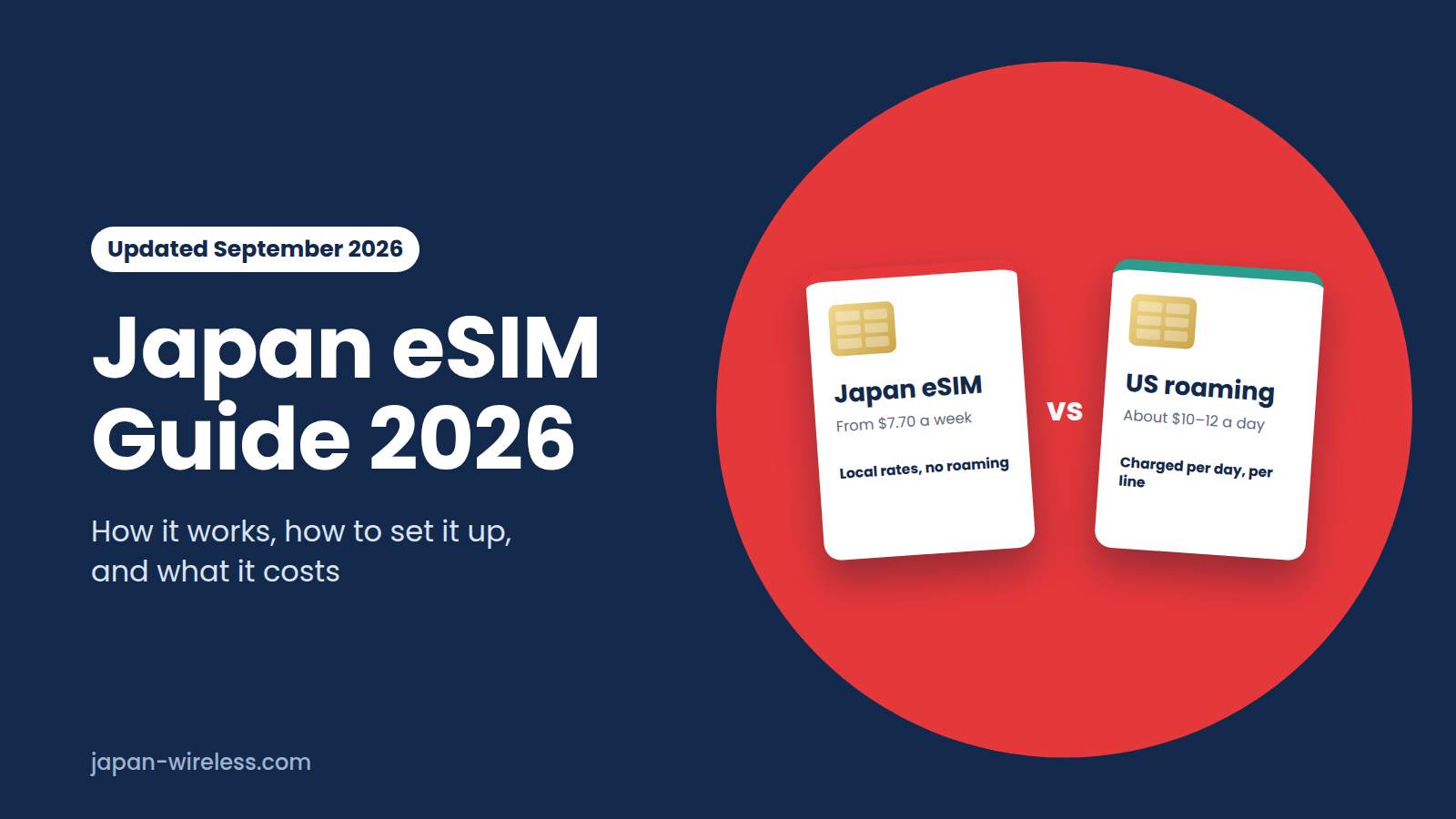
A Japan eSIM is a digital SIM that gives you mobile data in Japan without a physical SIM card. It connects to networks like NTT Docomo, au (KDDI), or SoftBank, and usually costs less than using your home carrier’s roaming. For example, US carrier day passes are about $10 to $12 per day, but a 7-day Japan eSIM starts at around $8 for light use or $26 to $28 for unlimited data. You can buy it before your trip and install it when you land, using the free Wi-Fi at the airport.
This guide explains how a Japan eSIM works, what it costs, how to set it up, and what to check before buying. If you’re ready to pick a provider, our comparison of the best eSIMs for Japan shows four options side by side.
How a Japan eSIM works
An eSIM is a SIM card that’s built into your phone. Instead of inserting a plastic card, you scan a QR code or tap an install link, and your phone downloads the mobile plan. Your home SIM stays in the phone, so you can keep your US number for texts and two-factor authentication codes while the Japan eSIM handles your data.
Travel eSIMs for Japan connect to major networks like NTT docomo, au (KDDI), SoftBank, or Rakuten Mobile. All of these work well in Tokyo, Osaka, and Kyoto. In rural or mountain areas, docomo and au usually have better coverage. Most travel eSIMs are data-only and don’t include a Japanese phone number, so you’ll make calls using apps like LINE, WhatsApp, or FaceTime.
Types of Japan eSIM
Unlimited or fixed data
Unlimited plans let you use data freely, though some may slow down after you reach a certain daily or monthly limit. Fixed plans give you a set amount, like 3 GB or 10 GB, and are cheaper if you mostly use maps and messaging. Our guide to unlimited versus 5G fixed plans can help you decide which is best for your trip.
Local or international
A local eSIM is from a provider focused on Japan and usually connects straight to a Japanese network. An international eSIM works in many countries through one app, which can be more convenient if you’re visiting several places. Check our Japan local eSIM guide to see the differences.
How much does a Japan eSIM cost?
Prices depend on how long your trip is and how much data you need. As of September 2026, a small fixed plan with 1 to 3 GB for 7 days costs about $4 to $8. A 10 GB plan for 30 days is about $16 to $18. Unlimited data costs around $26 to $29 for 7 days, or $65 to $74 for 30 days. For details by provider, see our best eSIM for Japan and cost per GB comparison.
Japan eSIM vs US carrier roaming
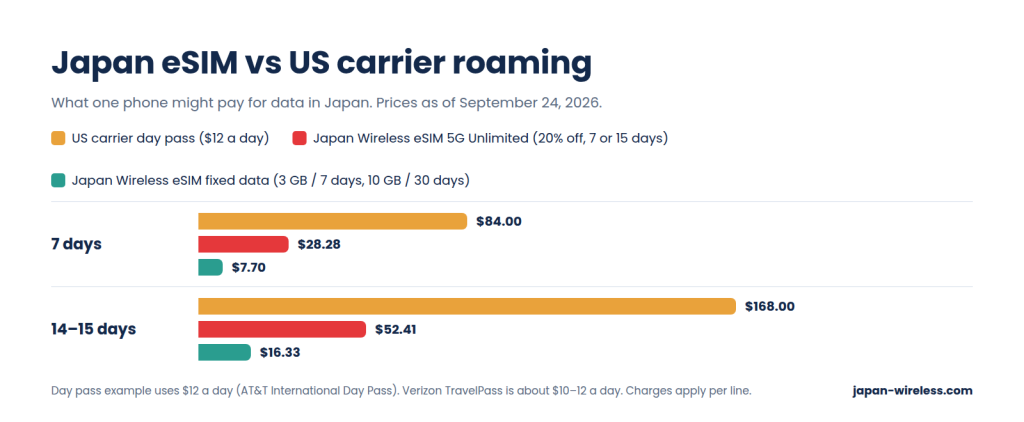
Many US travelers think their carrier’s international plan is the simplest option. While it is easy, it usually costs more if your trip lasts more than a few days.
| Option | How it’s charged | 7 days | 14 days |
|---|---|---|---|
| AT&T International Day Pass | $12 a day per line, on days you use it | $84 | $168 |
| Verizon TravelPass | About $10–12 a day per line | About $70–84 | About $140–168 |
| T-Mobile (plans with international data) | Low-speed data included; high-speed passes cost extra | Depends on plan | Depends on plan |
| Japan eSIM (unlimited) | One payment for the trip | About $26–29 | About $48–53 (15 days) |
| Japan eSIM (fixed data) | One payment for the trip | From $7.70 (3 GB) | From $16.33 (10 GB, 30 days) |
Day passes usually start automatically the first time your phone uses your US line abroad. Even a background email sync at the airport can trigger a full day’s charge. That’s why the setup steps below have you turn off data roaming on your home line.
Roaming might still be a good choice for a one-day stopover or if your plan already includes international data. But for a week or longer in Japan, an eSIM is usually much cheaper.
Is your phone ready for a Japan eSIM?
Your phone must support eSIM and be carrier-unlocked. Usually, this means you have an iPhone XR, XS or newer, a Google Pixel 4 or newer, or a Samsung Galaxy S20 or newer. US models of the iPhone 14 and later are eSIM-only and don’t have a SIM tray.
On iPhone, you can check the lock status in Settings > General > About > Carrier Lock. If it says “No SIM restrictions,” the phone is unlocked. For other models and what to do if your phone is locked, see Is My Phone eSIM Compatible? and Will My Phone Work in Japan?
How to set up a Japan eSIM
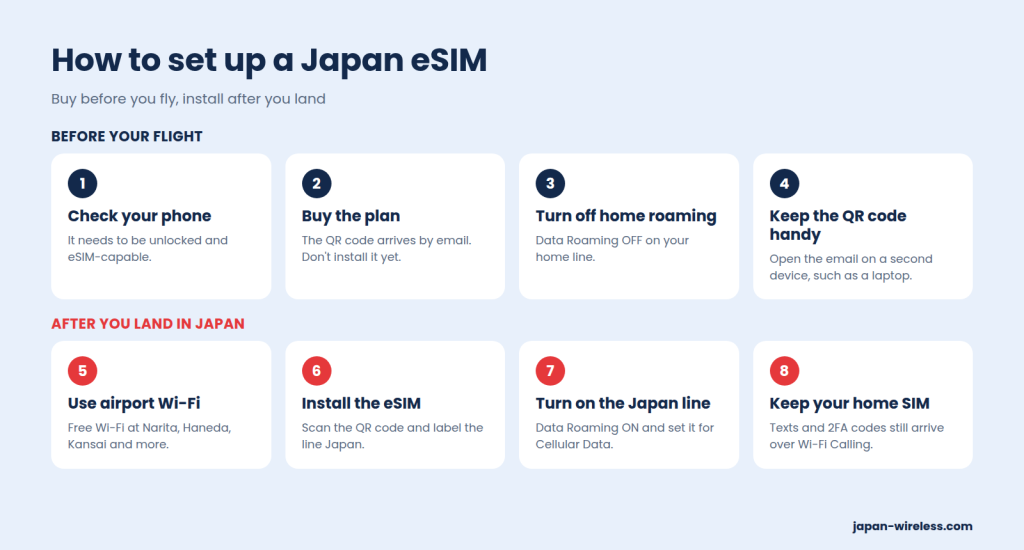
You can buy the eSIM and prepare your phone at home, then install it after you land using free Wi-Fi at the airport. The key step is making sure your home line doesn’t start roaming when you arrive in Japan.
On iPhone
- Before your flight, turn Data Roaming off on your US line.
- After you land, connect to airport Wi-Fi and install the eSIM.
- Tap the Japan line, make sure Turn On This Line is on, and turn Data Roaming on.
- Under Cellular Data, select the Japan line.
- Turn off Allow Cellular Data Switching, so the phone doesn’t switch back to your US line when the signal is weak.
On Android
- Before your flight, turn off data and roaming on your US SIM.
- After you land, connect to airport Wi-Fi and install the eSIM. Select the Japan eSIM, turn Mobile data on, and turn Roaming on.
- Set the Japan eSIM as the preferred SIM for data.
On some Samsung phones, Data Roaming also needs to be checked under Settings > Connections > Mobile networks for each SIM.
Keep your US line for texts
If you keep your US SIM on but turn off data roaming, you can still get texts and bank verification codes over Wi-Fi Calling when you’re connected to Wi-Fi. It’s a good idea to check that Wi-Fi Calling is turned on for your US line before you fly.
If your Japan eSIM doesn’t connect
Most issues after landing are due to settings, not the network. Turning on Data Roaming for the Japan line and choosing it for Cellular Data solves most problems. If that doesn’t work, try turning Airplane Mode on and off or restarting your phone. It’s best not to delete the eSIM, since you usually can’t reinstall it from the same QR code. Our Japan eSIM troubleshooting guide explains the fixes step by step.
Which Japan eSIM should you choose?
The best eSIM for you depends on how long you’ll be in Japan and how much data you need. For a side-by-side look at prices, networks, hotspot rules, and support, check out our best eSIM for Japan comparison. If you’re unsure about your data needs, our data guide lists typical amounts by trip length.
Japan Wireless eSIM uses au (KDDI) for its 5G plans and offers support from a team in Japan by chat, email, and phone. If your eSIM still can’t connect after following their troubleshooting steps and your phone is compatible, Japan Wireless will send a free Pocket WiFi to your hotel.
Frequently Asked Questions
- Do I need an eSIM for Japan?
-
You don’t have to get an eSIM for Japan, but it’s usually the cheapest and easiest way to get mobile data. Free Wi-Fi is available at airports, stations, and many cafés, but it’s not reliable enough for getting around. Other options include your home carrier’s roaming plan, a physical SIM card, or a Pocket WiFi.
- Does a Japan eSIM work on a US iPhone?
-
Yes, if the iPhone is carrier-unlocked. US models of the iPhone 14 and later are eSIM-only, so an eSIM is the only way to use a Japanese data plan on them.
- Will I be charged by my US carrier while using a Japan eSIM?
-
No, as long as data roaming is off on your US line. If it’s left on, background apps might use your US line and trigger a daily roaming charge. The setup steps in this guide help you avoid that.
- Does a Japan eSIM include a phone number?
-
Most travel eSIMs for Japan are data-only and don’t include a Japanese phone number. You’ll make calls using apps like LINE, WhatsApp, or FaceTime, and your US number can still get texts over Wi-Fi Calling.
- Can I use a Japan eSIM in Korea or Taiwan?
-
A Japan-only eSIM will only work in Japan. If you’re traveling on to Korea or Taiwan, consider Gmobile, our sister service, which offers Korea eSIMs and Taiwan eSIMs, or look for a regional eSIM that covers multiple countries.
- How much data do I need in Japan?
-
Most travelers use around 1 GB of data per day, or about 7 GB for a week. Check our data guide for more details by trip length.