

Landing at Haneda Airport (HND) and need reliable internet from the moment you clear customs? This guide shows you exactly how to pick up your pocket WiFi at Haneda Airport Terminal 3 with Japan Wireless — the fastest, easiest way to stay connected everywhere in Japan.
In This Guide
Free WiFi at Haneda Airport — or Pocket WiFi Rental?
Yes, Haneda Airport does offer free WiFi throughout all terminals under the network name HANEDA-FREE-WIFI. Connecting takes just a few taps. But once you step outside the terminal, that connection disappears — and Japan’s public WiFi coverage beyond airports is patchy at best.
|
🆓 Haneda Free WiFi
|
📡 Japan Wireless Pocket WiFi
|
For a smooth trip — whether you’re navigating the Tokyo train network, using Google Maps in Kyoto, or video-calling family from a ryokan — a pocket WiFi rental from Haneda Airport is the smarter, more reliable choice. And you can start using it the instant you collect it from the Terminal 3 counter.
Japan Wireless at Haneda Airport: Plans & Pricing
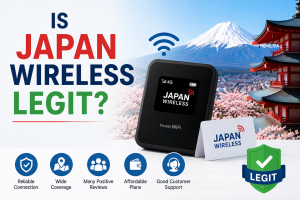
Japan Wireless has been providing pocket WiFi to visitors in Japan for over 10 years, with a 97% customer satisfaction rate and a 4.9/5 star rating. It’s one of the few providers in Japan that offers completely unlimited data with no speed throttling — a key differentiator when you’re trying to stream, navigate, and share photos all day.
|
♾️ Truly Unlimited Data No daily caps, no speed throttling after 3GB. Use as much as you need. |
⚡ 4G LTE — Up to 187.5Mbps Fast enough for HD streaming, video calls, and navigation apps. |
🔋 20-Hour Battery + Free Power Bank Lasts a full sightseeing day. Portable charger included free. |
|
📱 Connect Up to 10 Devices Share with your travel group — phones, tablets, laptops, all covered. |
🇬🇧 English-Speaking Support Customer service 8AM–11PM Japan time, 7 days a week. |
🚫 No Cancellation Fee Cancel up to 3 days before pickup with zero charge. |
Pricing for Haneda Airport Pickup (14-day rental)
| Provider | 14-Day Rate | Data | Battery | Last-Minute |
|---|---|---|---|---|
| Japan Wireless Best Pick |
¥12,430 (¥9,944 with coupon JPW001) |
Truly Unlimited | 20 hrs + free power bank | 2 hours |
| Ninja WiFi | ¥27,720 | Unlimited (3GB/day cap) | Unknown | 2 days |
| Japan WiFi Buddy | ¥15,881 | 3GB/day | 8 hrs | 1 day |
| Sakura Mobile | ¥11,616 | Unlimited (fair use policy) | 20 hrs | 2 days |
Book Japan Wireless for Haneda Airport Pickup
Truly unlimited 4G LTE · Pick up at Terminal 3 · 2-hour last-minute booking
JPW001
How to Pick Up Pocket WiFi at Haneda Airport Terminal 3
Haneda Airport has three terminals. If you’re arriving on an international flight, you’ll land at Terminal 3 (the international terminal). This is where the Japan Wireless pickup counter is located, and the process is designed to take less than 5 minutes.
📍 Japan Wireless Pickup — Terminal 3 Floor Guide
The Japan Wireless pickup counter is located on the 3rd floor. Bring your reservation confirmation and passport. Operating hours: 6:30 AM – 11:00 PM daily.
Where you exit after clearing customs and baggage claim. Head upstairs to 3F to collect your Japan Wireless device.
Step-by-step: collecting your WiFi at Terminal 3
Book online before you fly — Reserve on the Japan Wireless website and choose “Haneda Airport Terminal 3” as your pickup location. You’ll receive a confirmation email with your order details.
Clear customs and baggage claim — Proceed through immigration and collect your luggage as normal at the 2F Arrivals Lobby. Then head upstairs to the 3rd floor.
Head to 3F Departure Lobby — Follow the signs to the 3rd floor, where the Japan Wireless pickup counter is located. Staff will be ready to hand over your device.
Present your reservation confirmation and passport — The counter staff will verify your booking and hand over your pocket WiFi device, power bank, and return envelope.
Switch it on and connect — The device comes pre-configured. Power it on, select the WiFi network shown on the label, and you’re online within seconds. No setup required.
Last-Minute WiFi Rental at Haneda: Book Just 2 Hours Before Pickup
Most competitors require 1–2 days advance notice. Japan Wireless is built for spontaneous travelers.
Already at the airport and realized you forgot to book? Or finalizing your Japan trip at the last minute? Japan Wireless is one of the very few pocket WiFi providers that allows bookings right up to 2 hours before your pickup time (subject to stock availability at the counter).
Compare this to the competition: Ninja WiFi requires 2 days advance notice; Japan WiFi Buddy needs 1 full day; Sakura Mobile also asks for 2 days. If you’re booking close to your departure — or already mid-flight — Japan Wireless is your best option.
How to Return Your Japan Wireless Pocket WiFi
One of Japan Wireless’s most convenient features is its hassle-free return system. Unlike providers that require you to return devices at an airport counter — which means timing your departure carefully — Japan Wireless includes a pre-paid return envelope with every rental.
No need to go back to the airport counter. When you’re done with your trip, simply place the WiFi device and all accessories back into the return envelope provided.
Drop it into any postbox in Japan. You’ll find postboxes (Japan Post’s red boxes) on virtually every street corner, at convenience stores, and at train stations across the country.
Done. No return counter queues, no airport rush. Return from anywhere in Japan — including the day before your flight.
Ready to book your Haneda Airport WiFi pickup?
Use code JPW001 for 20% off · Truly unlimited 4G LTE · Terminal 3 pickup · Return by postbox anywhere in Japan
Pocket WiFi vs. eSIM vs. SIM Card at Haneda Airport
Before you commit to a pocket WiFi rental, it’s worth knowing your alternatives. At Haneda Airport, travelers have three main connectivity options: pocket WiFi, eSIM, and prepaid SIM cards. Here’s how they compare for a typical international tourist.
| Option | Best For | Pickup at Haneda | Limitations |
|---|---|---|---|
| Pocket WiFi (Japan Wireless) | Groups, families, multi-device users, heavy data users | ✅ Counter at Terminal 3 | Extra device to carry and charge |
| eSIM (Japan Wireless) | Solo travelers with eSIM-compatible phones | ✅ Digital — activate before landing | Phone must support eSIM; one device only |
| Prepaid SIM card | Solo travelers, short stays | ✅ Vending machines & counters at all terminals | Data caps; phone must be SIM-unlocked |
| Airport free WiFi | Quick check at airport only | ✅ Select HANEDA-FREE-WIFI | Airport only; slow; insecure; no coverage outside |
Bottom line: If you’re traveling with any other person, or if you carry more than one device, pocket WiFi is by far the most cost-effective and convenient option. Japan Wireless also offers eSIM if you prefer not to carry a separate device — a great option for solo travelers with a compatible iPhone or Android.
FAQ: WiFi Rental at Haneda Airport
Where exactly can I pick up pocket WiFi at Haneda Airport Terminal 3?
How far in advance do I need to book?
Is the WiFi really unlimited? No daily caps?
My flight arrives after 11 PM. Can I still pick up my WiFi?
How do I return the pocket WiFi device?
Does the WiFi work in rural Japan and on the shinkansen?
What is the Japan Wireless coupon code for Haneda Airport?
Pick Up Your WiFi at Haneda Airport Terminal 3
Over 10 years serving international travelers in Japan. Truly unlimited 4G LTE. English support 7 days a week.
Book Japan Wireless — Use Code JPW001 for 20% Off
😊 97% satisfied
🕐 Book up to 2 hrs before pickup
📬 Return by postbox anywhere in Japan