

For most 2026 travelers to Japan, pocket WiFi wins for 2+ people or heavy data users (Japan Wireless: ¥680/day unlimited, 10 devices), eSIM wins for solo travelers with a modern unlocked phone (Airalo from ¥700 for 1GB, activated by QR code before landing), and a physical SIM card only makes sense if your phone is eSIM-incompatible or SIM-locked (¥2,300–3,000 for 3–30 days).
This guide compares these options to help you pick the best Japan WiFi solution tailored to your travel style and device.
Quick Answer: Which Should You Choose?
- 2+ travelers or a family: Pocket WiFi. Sharing one Japan Wireless pocket wifi across 4 people costs ¥2,700 per person for a 14-day trip with coupon code JPW001 (¥10,999 ÷ 4).
- Solo traveler, eSIM-compatible phone: eSIM. No pickup, activates instantly, from ¥600 (Airalo, 1GB) to ¥2,800 (Japan Wireless eSIM, 12GB).
- Solo traveler, older or SIM-locked phone: Physical SIM card or a 1-person pocket WiFi rental.
- Heavy data user (streaming, video calls, tethering laptops): Pocket WiFi with truly unlimited data — no Fair Usage Policy throttling.
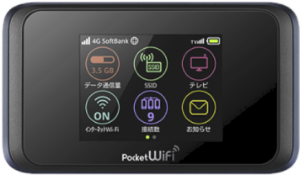
PREMIUM WIFI
FROM $4.2/DAY
- Unlimited Data, No Throttling
- Power bank provided for free!
- 10-hour battery life
- Connect up to 10 Devices
1. Japan Pocket WiFi
Pocket WiFi (or portable wifi) that provides internet access by creating a personal WiFi hotspot. It connects to mobile networks and allows multiple devices to connect to the internet simultaneously.
Advantages of Japan Pocket WiFi
- Multi-device connectivity: One of the biggest advantages of Pocket WiFi is its ability to connect multiple devices and users simultaneously.
- Easy setup: Simply turn on the device and connect to the internet using the provided SSID and password.
- High-speed internet: Provides stable and fast internet speeds, ideal for streaming, video calls, and other high-bandwidth activities.
Disadvantages
- Extra device required: Carrying an additional device can be cumbersome, especially if you prefer to travel light.
- Pickup required: You have to pick up the device at Narita Airport, Haneda Airport and designated wifi counter.
- Order in advance: For certain pick-up locations, you can arrange same-day or 2-hour pickup with providers like Japan Wireless, but generally, it is recommended to book your wifi in advance.
2. Japan eSIM
An eSIM (embedded SIM) is a digital SIM that can be activated with a QR code and is embedded directly in your device.
Advantages of Japan eSIM
- Convenience: Easily switch between carriers and plans without needing to replace a physical SIM card.
- No extra device: As it’s embedded in your device, there’s no need to carry a portable WiFi device or store physical SIM cards.
- Immediate activation: Plans can be activated almost instantly, without waiting for a package to be shipped or or pick up at airport counters in Japan.
Disadvantages
- Device compatibility: Not all devices support eSIM. Ensure that your device is compatible with eSIM and is unlocked before opting for this option.
- Single-device use: An eSIM can be installed on only one device at a time. However, you can share the internet with other devices or people via the hotspot function.
3. Japan SIM Card
A SIM card is a small, removable card that stores your mobile network information and allows your device to connect to a carrier’s network. Many providers offer 3-in-1 SIM cards, which can be adjustable and compatible with various SIM card trays.
Advantages of Japan SIM Card
- No return needed: While you still need to pick up the SIM card, you can simply dispose of it when you’re done.
- Cost-effective: Generally, purchasing a local SIM card at your destination can be one of the most affordable options for short-term travel.
- Widespread availability: Physical SIM cards are widely available and supported by almost all mobile devices and carriers.
- Single-device use: Like an eSIM, a SIM card can only be set up for one device at a time and users can share the internet through hotspot.
Disadvantages
- Inconvenience: Physically swapping SIM cards can be cumbersome, especially if you need to change them frequently. You might also require a SIM ejector tool and could risk losing your primary SIM card during the switch.
- Compatibility Issues: Some smartphones are SIM-locked, so be sure to check compatibility before purchasing.
Connection in Japan: Which One Should You Choose?
To pick the most suitable internet connection option for your travels to Japan, here’s everything you need to know.
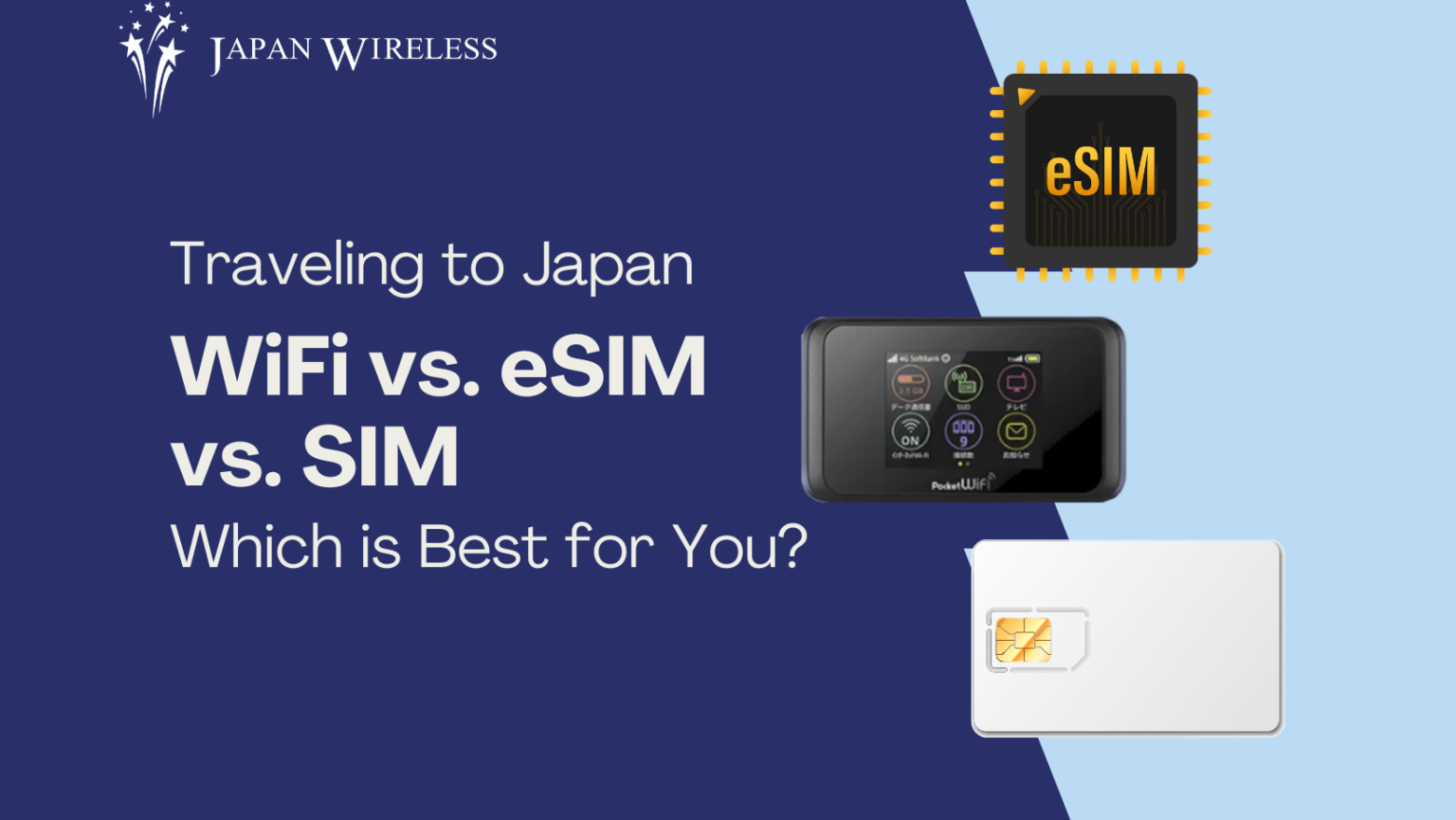
Japan WiFi Options Compared
| Feature | Pocket WiFi | eSIM | SIM Card |
|---|---|---|---|
| Starting price | ¥650~ per day | ¥700~ | ¥2300~ |
| Multi-device connectivity | Yes | No (Hotspot sharing available) | No (Hotspot sharing available) |
| Ease of Setup | Easy, just turn on and connect | Easy, activate with QR code or manual setup | Moderate, physically swap and configure settings |
| Internet Speed | High, stable | High, depends on carrier | High, depends on carrier |
| Battery Life | Requires charging(~8-12 hrs) | N/A | N/A |
| Extra Device | Yes | No | Maybe (SIM ejector tool) |
| Device Compatibility | Works with any WiFi-enabled device | Requires eSIM-compatible device | Works with any unlocked device supporting SIM |
| Pickup | Yes (Haneda, Narita, Kansai, Hotel delivery) | No | Yes |
| Return | Yes | No | No |
| Flexibility | High (portable and shareable) | Very high (easy to switch carriers) | Moderate |
| Ideal for | Solo travelers and group travelers needing access for multiple devices | Frequent travelers and solo travelers who require instant internet access | Solo travelers concerned about eSIM compatibility |
Which Japan WiFi Option is Right for You?
Pocket WiFi: Who It’s For
Pocket WiFi creates a personal hotspot from a rented device the size of a deck of cards. Japan Wireless’s device connects up to 10 phones, laptops, or tablets simultaneously on SoftBank 4G LTE, with battery life up to 18.5 hours and a free power bank included in every rental (Ninja WiFi charges ¥110–200/day for the same accessory).
Concrete cost example: A family of 4 renting one Japan Wireless device for 14 days pays ¥10,999 total with coupon code JPW001 — ¥2700/person. Four separate eSIMs (10GB each on Ubigi) would cost ¥9,600 with lower data caps.
Pickup: Narita T1/T2 (JAL ABC counter), Haneda T3 (3rd floor, 6:30–23:00, shared counter with Ninja WiFi), Kansai T1 (Arrival Lobby 1F, 6:00–23:00), plus Chubu, Fukuoka, and New Chitose. Hotel delivery nationwide for ¥500. Return: prepaid Japan Post envelope (free of charge), drop in any mailbox.
Downside: You carry an extra device and charge it nightly. Lose it and you owe a replacement fee.
eSIM: Who It’s For
An eSIM is a digital SIM activated by scanning a QR code emailed after purchase. No pickup, no return, no extra device. Airalo eSIM/Ubigi eSIM/Japan Wireless eSIM starts at ¥700. Activation typically takes under 5 minutes and can be done from your home country before departure.
Requirements: Your phone must be eSIM-compatible (iPhone XS or newer, Pixel 3 or newer, most Galaxy S20+) and carrier-unlocked. Only one eSIM plan is active per device at a time, though you can still tether one phone to share with others.
Downside: Data caps. Most eSIM plans throttle or cut off at 3–20GB (except Japan Wireless 5G Unlimited eSIM). If you stream video or work remotely, you’ll burn through a 10GB plan in 3–4 days.
<Check Japan eSIM by Japan Wireless>
Physical SIM Card: Who It’s For
A physical SIM card is only worth considering in 2026 if:
- Your phone is not eSIM-compatible.
- Your phone is SIM-locked to a home carrier that doesn’t support eSIM.
- You want a cheap prepaid card for a short trip and don’t mind swapping SIMs.
Prices run ¥2,300–3,000 for 3–30 days. You’ll need a SIM ejector tool and must safely store your home SIM. Available at Narita/Haneda vending machines, Bic Camera, Yodobashi, and online in advance.
<Check Japan SIM by Japan Wireless>
What About Japan’s Free WiFi?
Don’t rely on free WiFi as your primary connection. The landscape shrank sharply between 2022 and 2023, and security is still the main concern.
- 7-Eleven, FamilyMart, Ministop: NO free WiFi (all discontinued 2022).
- Lawson: The only major convenience store with its own free WiFi (LAWSON_Free_Wi-Fi, 60 minutes per session, 5 sessions/day max).
- Starbucks Japan: at_STARBUCKS_Wi2, 1 hour per session, unlimited reconnects.
- Shinkansen Free Wi-Fi (Tokaido/Sanyo/Kyushu lines): 30 minutes per session, throttled to 128 kbps for OS updates.
- JR-EAST FREE Wi-Fi (E5/E6/E7 Shinkansen cars, Narita Express): 3 hours per session, email registration.
- Tokyo Metro in-train WiFi: DISCONTINUED June 30, 2022 — only station-level WiFi remains.
- Airports: The most reliable free WiFi in Japan — no time limit at most terminals.
How to Get Japan WiFi?
- Pocket WiFi: Reserve online in advance, then pick up at airport counters (Narita, Haneda, Kansai) or have it delivered to your accommodation. Some providers like Japan Wireless offer same day WiFi rental with quick pickup.
- eSIM: Purchase online, receive a QR code via email, and activate instantly on your compatible device. No pickup or return needed.
- SIM Card: Buy at airports, electronics stores, or online for delivery. Insert the SIM before or upon arrival.
Frequently Asked QuestionsCHECK JAPAN WIRELESS RATE
Pocket WiFi vs eSIM Japan — which is better?
Pocket WiFi is better for 2+ travelers or heavy data users: Japan Wireless connects 10 devices for ¥680/day on the 30-day plan with truly unlimited data. eSIM is better for solo travelers with a modern unlocked phone — Activates instantly with no pickup. Cost per person tips toward pocket WiFi once you share across 2+ people.
How much does pocket WiFi cost in Japan?
Pocket WiFi in Japan costs ¥680/day depending on provider and plan length. Japan Wireless charges ¥4,064 for 1 day, ¥12,430 for 14 days (¥9,944 with coupon code JPW001), and ¥20,860 for 30 days (~¥695/day). Ninja WiFi starts at ¥440/day for the longest rentals but adds ¥110–200/day for a power bank that Japan Wireless includes free.
Can I use pocket WiFi for a family of 4?
Yes. Japan Wireless’s device supports up to 10 simultaneous connections, so 4 phones plus laptops all share one hotspot. A 14-day rental split 4 ways with coupon JPW001 works out to ¥2,700 per person (¥10,999 ÷ 4) — cheaper than 4 separate eSIM plans and with unlimited data.
Where do I pick up pocket WiFi at Narita, Haneda, or Kansai?
Japan Wireless pickup: Narita T1 (JAL ABC counter, South Wing 1F), Narita T2 (JAL ABC counter), Haneda T3 (3rd floor, 6:30–23:00, shared counter with Ninja WiFi), Kansai T1 (Arrival Lobby 1F, 6:00–23:00). Also available at Chubu, Fukuoka, and New Chitose. 2-hour express pickup is available at Narita, Haneda, Kansai, Fukuoka, and New Chitose if booked 2+ hours in advance.
Do I need an eSIM if I already have pocket WiFi?
No. Pocket WiFi covers all your devices simultaneously, so an eSIM would duplicate coverage. Some travelers keep a cheap eSIM as a backup for emergencies or for the few hours between airport arrival and hotel check-in, but it’s optional.
Can I use free WiFi on the Shinkansen instead of paying for pocket WiFi?
You can, but sessions cap at 30 minutes on Tokaido/Sanyo/Kyushu Shinkansen (Shinkansen_Free_Wi-Fi) and 3 hours on JR-EAST FREE Wi-Fi (E5/E6/E7 cars only, Narita Express). Speeds are throttled to 128 kbps for OS updates. The connection is unencrypted — use a VPN. For continuous work or video calls, pocket WiFi or eSIM is more reliable.
How do I return pocket WiFi in Japan?
Japan Wireless includes a prepaid Japan Post return envelope in the rental kit. Drop it in any Japan Post mailbox before departure — street postboxes, convenience stores, or airport post boxes all work. Return-box locations include Narita T1 (4F Departure Lobby), Haneda T3 (3F Departure Lobby between E and F check-in), and Kansai T1 (4F Departure Lobby). Late return fee: ¥1,100/day.
Is eSIM cheaper than pocket WiFi in Japan?
For solo travelers on light data (under 5GB total), yes. For heavy data or multiple travelers, pocket WiFi is cheaper per gigabyte and per person. Break-even is roughly 2 travelers or 10GB+ of usage over a 7-day trip.
Conclusion
Choosing between Pocket WiFi, eSIM, and SIM cards depends on your travel styles, device compatibility, and connectivity needs. Pocket WiFi is best for connecting multiple devices. For flexibility and ease of switching carriers, eSIM is optimal. Lastly, For cost-effectiveness and device compatibility, a Japan SIM card works well.
Evaluate your trip length, devices, and preferences to select the best Japan WiFi option and stay connected effortlessly.